Home
Security Warnings & News!
  • 04/29/26 Security Updates
  • Chrome Emergency Update!
  • 04/26/26 Security Updates
YouTube Show Notes
  • Chrome Emergency Update!
  • #1 MR7350 DD-WRT Install
  • #2 MR7350 DD-WRT Install
  • #3 MR7350 DD-WRT Install
  • #4 MR7350 DD-WRT Install
  • #5 MR7350 DD-WRT Install
  • DD-WRT (AP) 192.168.1.1
  • DD-WRT (AP) 192.168.0.1
  • DD-WRT BUG SIMPLE FIX!
  • R8000 Recovery Tutorial!
YouTube Scripts
  • Tailscale Script EA8300
  • EA8300 Revert Stock Firm.
  • MR7350 OpenWrt Revert
  • MR7350 DD-WRT Revert
Router Simulators
  • LINKSYS MR7350 ROUTER SIM
  • LINKSYS EA8300 ROUTER SIM
  • LINKSYS MX5300 ROUTER SIM

Richard Lloyd USA

Richard Lloyd USARichard Lloyd USARichard Lloyd USA
Home
Security Warnings & News!
  • 04/29/26 Security Updates
  • Chrome Emergency Update!
  • 04/26/26 Security Updates
YouTube Show Notes
  • Chrome Emergency Update!
  • #1 MR7350 DD-WRT Install
  • #2 MR7350 DD-WRT Install
  • #3 MR7350 DD-WRT Install
  • #4 MR7350 DD-WRT Install
  • #5 MR7350 DD-WRT Install
  • DD-WRT (AP) 192.168.1.1
  • DD-WRT (AP) 192.168.0.1
  • DD-WRT BUG SIMPLE FIX!
  • R8000 Recovery Tutorial!
YouTube Scripts
  • Tailscale Script EA8300
  • EA8300 Revert Stock Firm.
  • MR7350 OpenWrt Revert
  • MR7350 DD-WRT Revert
Router Simulators
  • LINKSYS MR7350 ROUTER SIM
  • LINKSYS EA8300 ROUTER SIM
  • LINKSYS MX5300 ROUTER SIM
More
  • Home
  • Security Warnings & News!
    • 04/29/26 Security Updates
    • Chrome Emergency Update!
    • 04/26/26 Security Updates
  • YouTube Show Notes
    • Chrome Emergency Update!
    • #1 MR7350 DD-WRT Install
    • #2 MR7350 DD-WRT Install
    • #3 MR7350 DD-WRT Install
    • #4 MR7350 DD-WRT Install
    • #5 MR7350 DD-WRT Install
    • DD-WRT (AP) 192.168.1.1
    • DD-WRT (AP) 192.168.0.1
    • DD-WRT BUG SIMPLE FIX!
    • R8000 Recovery Tutorial!
  • YouTube Scripts
    • Tailscale Script EA8300
    • EA8300 Revert Stock Firm.
    • MR7350 OpenWrt Revert
    • MR7350 DD-WRT Revert
  • Router Simulators
    • LINKSYS MR7350 ROUTER SIM
    • LINKSYS EA8300 ROUTER SIM
    • LINKSYS MX5300 ROUTER SIM

Richard Lloyd USA

Richard Lloyd USARichard Lloyd USARichard Lloyd USA
  • Home
  • Security Warnings & News!
    • 04/29/26 Security Updates
    • Chrome Emergency Update!
    • 04/26/26 Security Updates
  • YouTube Show Notes
    • Chrome Emergency Update!
    • #1 MR7350 DD-WRT Install
    • #2 MR7350 DD-WRT Install
    • #3 MR7350 DD-WRT Install
    • #4 MR7350 DD-WRT Install
    • #5 MR7350 DD-WRT Install
    • DD-WRT (AP) 192.168.1.1
    • DD-WRT (AP) 192.168.0.1
    • DD-WRT BUG SIMPLE FIX!
    • R8000 Recovery Tutorial!
  • YouTube Scripts
    • Tailscale Script EA8300
    • EA8300 Revert Stock Firm.
    • MR7350 OpenWrt Revert
    • MR7350 DD-WRT Revert
  • Router Simulators
    • LINKSYS MR7350 ROUTER SIM
    • LINKSYS EA8300 ROUTER SIM
    • LINKSYS MX5300 ROUTER SIM

Linksys MR7350 Revert to Stock from OpenWrt | Complete Step-
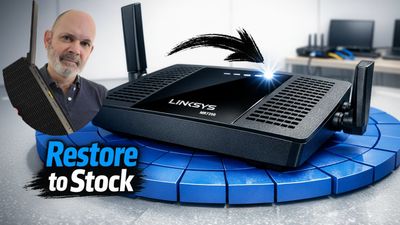
Linksys router with a restore to stock firmware message and a man's inset photo.

Step by Step Instructions Copy & Paste

Step #1 Download the stock firmware from Linksys for your MR73XX:

https://support.linksys.com/kb/article/947-en/


Create a new folder in your Downloads folder called MR7350

and place the firmware file in the new MR7350 folder. 


Step #2 Do Windows search for CMD and open as Administrator

Change to directory where the file is (see video for this step)

https://youtu.be/TLk84Ym-HqQ?si=pCrZrTb4_GYiSLHO&t=248


Once you are in the right directory Copy & Paste the following:

 [ scp -O FW_MR7350_1.1.7.209317_prod.img root@192.168.1.1:/tmp ]

Press enter to execute the command.


Step #3

Type [ ssh root@192.168.1.1 ] into the CMD window (or copy & paste it)

Press enter to execute the command. Log into your router.


Type [ fw_printenv -n boot_part ] (or copy & paste it)

Press enter to execute the command.

This will output  1 OR 2 Take note.


If [ fw_printenv -n boot_part ] gave you a (1) Go to Part #1

If [ fw_printenv -n boot_part ] gave you a (2) Go to Part #2


PART #1

If [ fw_printenv -n boot_part ] gave you a (1)


Go to the temporary folder:


Type [ cd /tmp ] press enter


#This creates the 8MB Kernel piece. Copy & paste the following:


[ dd if=FW_MR7350_1.1.7.209317_prod.img bs=8M count=1 of=kernel_piece.bin ]

press enter


# This creates the rest (the Rootfs piece). Copy & paste the following:


[ dd if=FW_MR7350_1.1.7.209317_prod.img bs=8M skip=1 of=rootfs_piece.bin ]

press enter


# Flash the small piece to the kernel slot. Copy & paste the following:

[ mtd -e alt_kernel write kernel_piece.bin alt_kernel ]


# Flash the big piece to the rootfs slot. Copy & paste the following:

[ mtd -e alt_rootfs write rootfs_piece.bin alt_rootfs ]

press enter


# Set router to boot to the partition you just flashed. Copy & paste the following:


[ fw_setenv boot_part 2 ] (press enter)


[ reboot ] (press enter) The router will reboot into the Stock Linksys firmware


Follow the video from this point. 

https://youtu.be/TLk84Ym-HqQ?si=mQn80H7GWihOGuav&t=637


Part #2

If [ fw_printenv -n boot_part ] gave you a (2)


1. Go to the temporary folder:


Type [ cd /tmp ] press enter


#This creates the 8MB Kernel piece. Copy & paste the following:


[ dd if=FW_MR7350_1.1.7.209317_prod.img bs=8M count=1 of=kernel_piece.bin ]

press enter


# This creates the rest (the Rootfs piece). Copy & paste the following:


[ dd if=FW_MR7350_1.1.7.209317_prod.img bs=8M skip=1 of=rootfs_piece.bin ]

press enter


# Write the small piece to the primary kernel slot. Copy & paste the following:

[ mtd -e kernel write kernel_piece.bin kernel ]

press enter


# Write the big piece to the primary rootfs slot. Copy & paste the following:

[ mtd -e rootfs write rootfs_piece.bin rootfs ]

press enter


# Set router to boot to the partition you just flashed. Copy & paste the following:


[ fw_setenv boot_part 1 ] (press enter)


[ reboot ] (press enter) The router will reboot into the Stock Linksys firmware


FINAL STEP FOR BOTH (#1 & #2) PROCEDURES!

Follow video for the FINAL flash of the stock Linksys firmware (MUST DO):


https://youtu.be/TLk84Ym-HqQ?si=y2Nq8fYEv6L9Mr_W&t=677


Copyright © 2026 RICHARDLLOYDUSA - All Rights Reserved.


Powered by

This website uses cookies.

We use cookies to analyze website traffic and optimize your website experience. By accepting our use of cookies, your data will be aggregated with all other user data.

Accept